
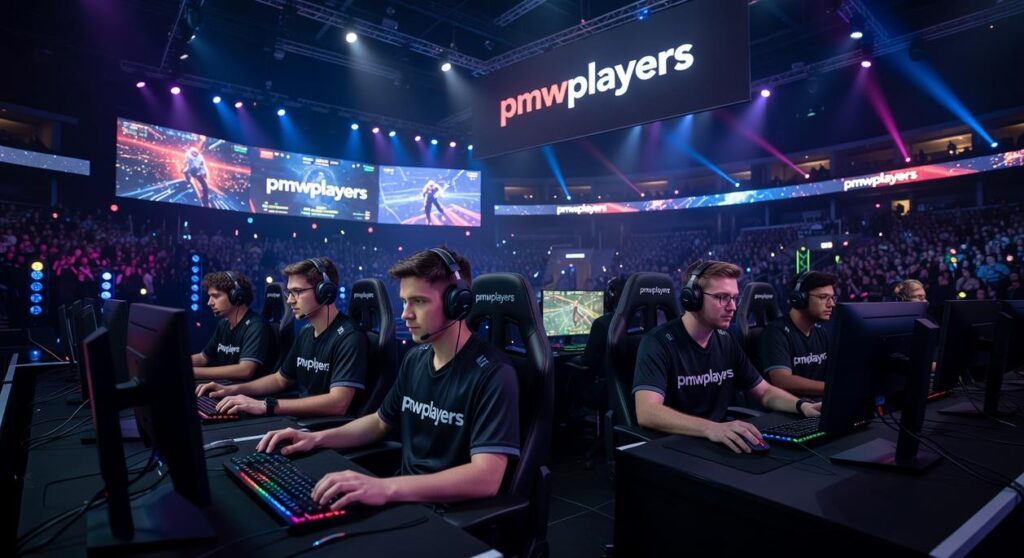
I’ve spent thousands of hours in multiplayer games and I can tell you this: the game itself is only half the battle.
You’re probably jumping between Discord servers, random LFG sites, and stat trackers that barely work together. It’s messy. And it’s costing you better teammates and wins.
Here’s the truth: most players never build a real gaming ecosystem. They just patch together whatever their friends are using and hope it works.
I’ve tested dozens of platforms while building communities and running competitive teams. I know which tools actually make your gaming sessions better and which ones just add more tabs to your browser.
This guide covers the platforms you need for communication, finding teammates, and tracking your performance. Not every platform that exists. Just the ones that matter.
At pmwplayers, we focus on helping you make smart decisions about where to invest your time and energy. That applies to gaming just like it applies to your money.
You’ll learn exactly which platforms to use and why. No fluff about features you’ll never touch.
By the end, you’ll have a setup that turns random gaming sessions into something consistent and actually fun.
What is a ‘Gaming Platform’ in 2024? (It’s More Than Just Steam)
I remember the first time someone asked me what platform I game on.
This was back in 2019. I said Steam without thinking twice. That’s where my library lived, right?
But then they followed up. “No, I mean where do you actually hang out? Where’s your squad?”
That question stuck with me.
Because here’s what I realized. The launcher where I buy games isn’t really my platform anymore. It’s just a store. Maybe a friends list I never check.
My actual gaming platform? It’s Discord for voice chat. It’s a subreddit where I find teammates. It’s Tracker Network where I obsess over my stats after every session (not my proudest habit, but we’re being honest here).
Most people still think platform means Steam or Epic Games Store or PlayStation Network. And sure, those matter. You need somewhere to launch your games.
But that’s not the full picture anymore.
Your real platform is the whole ecosystem that supports how you actually play. It’s where you communicate. Where you find people to game with. Where you figure out if you’re getting better or just spinning your wheels.
I’ve been writing about this stuff at pmwplayers because I kept seeing the same confusion. People would ask about the best platform and get answers about storefronts when what they really needed was the right mix of tools.
So let’s break this down into what actually matters.
Communication and Community Hubs. This is where your gaming social life happens.
Team-Finding and LFG Services. Because solo queue will destroy your soul eventually.
Performance Tracking and Analytics Tools. For when you want to know why you’re hardstuck in the same rank.
We’ll dig into each of these next.
The Digital Clubhouse: Mastering Communication & Community Platforms
You can’t play multiplayer games in a vacuum.
I mean, you could. But you’d miss half the experience.
The real magic happens when you connect with other players. When you coordinate that perfect raid timing or just laugh about a ridiculous bug someone encountered.
That’s where communication platforms come in.
Discord: The Undisputed Champion
Discord runs the show right now.
If you’re serious about any multiplayer game, you’re probably already on it. The platform gives you voice chat, text channels, and video calls all in one place. Most gaming communities treat it as their home base.
Here’s what makes it work. You join a server (think of it as a private club for a specific game or group). Inside that server, you get different channels for different topics. One for general chat. Another for looking for teammates. Maybe a third for sharing clips.
Finding the right servers takes some effort though. Start with the game’s official website or social media pages. They usually link to their verified Discord. Fan-run communities are trickier to vet, but you can check server directories like Disboard or ask in gaming subreddits.
(Pro tip: Look at server activity before joining. A server with 10,000 members but zero recent messages is basically dead.)
The real power comes from bots. These automated helpers can track your game stats, schedule events, assign roles based on what you play, and even play music while you’re hanging out. Some servers use bots to organize entire tournament brackets.
I’ve seen communities transform from chaotic messes into well-oiled machines just by setting up the right bots.
In-Game Communication: When to Use It
Built-in voice chat gets a bad reputation.
Some of it’s deserved. The audio quality usually can’t compete with Discord. You get fewer features. And let’s be honest, the toxicity can hit different when it’s coming through game chat.
But in-game communication has its place.
It’s convenient. You don’t need to alt-tab or pull out your phone. Everyone in your match is already there. Games like 10 best games to play with headphones pmwplayers often benefit from quick callouts that don’t require a full Discord setup.
Proximity chat is where things get interesting. Some games let you talk only to players near your character. It creates spontaneous moments you can’t plan. Random alliances. Hilarious encounters. The kind of stories you tell your friends later.
The downside? You can’t control who you’re talking to. There’s no mute-all-by-default option in most games. And if someone’s being awful, your only option is usually to mute them individually or leave the match entirely.
I use in-game chat for quick matches with strangers. For anything that requires real coordination or if I’m playing with friends, I switch to Discord every time.
Assemble Your Squad: The Best Platforms for Finding Teammates

You’ve been there.
You load into a game ready to grind ranked or tackle that raid. Then you get matched with someone who quits after one round or has no mic.
Finding good teammates shouldn’t feel like rolling dice.
Dedicated LFG Apps & Websites
LFG platforms work like dating apps but for gamers. You set your preferences and find people who actually match what you’re looking for.
Take GamerLink versus Discord LFG bots. GamerLink lets you filter by skill level, playstyle, and even what times you play. You can specify if you’re casual or competitive, if you want voice chat, what language you speak.
Discord bots are faster but messier. You post what you need and hope someone responds. Less filtering means more trial and error.
The difference? One saves you time upfront. The other might get you in a game quicker but with mixed results.
Community-Sourced Teammates
Here’s what most LFG guides won’t tell you.
The best teams form naturally. Not through algorithms or filter systems.
I’ve found my most reliable squadmates just by playing well with randoms and adding them after. Or by hanging out in game-specific Discord servers and actually talking to people before teaming up.
Most Discord communities at pmwplayers have dedicated LFG channels. Don’t just drop your gamertag and bounce. Stick around. Chat between matches. You’ll spot the players who communicate well and share your vibe.
Subreddits like r/GamerPals work the same way. You’re not just finding a warm body to fill a slot. You’re finding someone you might actually want to play with next week too.
(Turns out the old advice about making friends still applies, even online.)
From Data to Dominance: Platforms for Tracking Your Performance
You can’t fix what you don’t measure.
I learned this the hard way after months of grinding matches and wondering why I wasn’t getting better. Turns out I was making the same mistakes over and over without even knowing it.
That’s where stat-tracking platforms come in.
These tools show you exactly what’s working and what’s not. Your actual win rate. Your real K/D. The champions or agents where you’re actually performing versus the ones you just think you’re good at.
The difference between guessing and knowing? That’s everything.
Game-Specific Analytics Platforms
Let me walk you through the platforms I actually use.
For Valorant and Apex players, Tracker.gg is where you start. It breaks down your performance by agent or legend, shows your accuracy stats, and compares you to players at your rank. You’ll see pretty quickly which weapons you’re hitting with and which ones you’re wasting bullets on.
League of Legends players should bookmark OP.GG right now. It tracks your match history, shows your CS per minute, and tells you if your builds are actually working. (Spoiler: sometimes they’re not.) The platform also shows you what high-elo players are building on your main, which saves hours of trial and error.
Dota 2 has Dotabuff, and honestly, it’s one of the most detailed platforms out there. You get hero-specific stats, item timing analysis, and even heatmaps showing where you die most often. If you’re serious about climbing in Dota, you need this data.
Here’s what matters across all these platforms. Win rates tell you if you’re climbing or stuck. K/D ratios show if you’re contributing or feeding. Match history reveals patterns you miss in the moment.
But the real value? These sites show you the gap between how you think you play and how you actually play. That gap is where improvement lives.
Some people argue that obsessing over stats makes you play scared. They say you should just focus on having fun and the wins will come naturally.
Look, I get the appeal of that mindset. Stats can make you overthink if you’re not careful.
But here’s what I’ve seen at pmwplayers and beyond. Players who track their performance improve faster than players who don’t. Period. You don’t have to check your stats after every match, but reviewing them weekly gives you direction.
General Performance & Capture Tools
Numbers only tell half the story though.
You need to actually watch yourself play. That’s where capture software comes in.
NVIDIA ShadowPlay works if you’ve got a GeForce card. It runs in the background and saves your last few minutes of gameplay with a hotkey. When something goes wrong in a match, you can clip it and review later.
AMD users get ReLive, which does basically the same thing. Both tools are free and don’t tank your FPS like some recording software does.
Why bother recording? Because watching your own gameplay is brutal but necessary. You’ll catch positioning mistakes, missed opportunities, and bad habits that feel right in the moment but look terrible on replay.
I review one or two clips a week. Not every match, just the ones where I know I messed up but can’t figure out why. Five minutes of review saves hours of repeating the same errors.
The combination works like this. Use stat platforms to identify problem areas. Use capture tools to see why those problems happen. Then fix them.
That’s how you turn data into actual improvement.
Your Integrated Gaming Experience Awaits
I’ve shown you how to build a gaming setup that actually works.
You came here frustrated with solo queue randomness and tired of searching for decent teammates. I get it because I’ve been there too.
The solution isn’t complicated. You need a central communication hub paired with the right tools for finding groups and tracking your progress.
Discord sits at the center of this ecosystem. Add LFG channels and stat-tracking platforms around it and you’ve got everything you need.
No more hoping you’ll stumble into a good team. No more wondering why your rank isn’t moving.
You control your gaming experience now.
Here’s your first move: Find the official Discord server for your main game tonight. Jump into the LFG channel and see what’s happening. You’ll be surprised how many players are looking for the same thing you are.
pmwplayers has helped thousands of gamers level up their experience with practical advice that cuts through the fluff.
Your next session doesn’t have to be another frustrating solo queue. Take action and start building your community today.
 Blyxara Dwell is the founder of PMW Players and a passionate advocate for financial education and informed investing. With a strong interest in market developments, wealth-building strategies, and personal finance, she established the platform to provide readers with reliable insights that support smarter financial decision-making. Her vision centers on making financial knowledge accessible to individuals at every stage of their financial journey.